User Guide
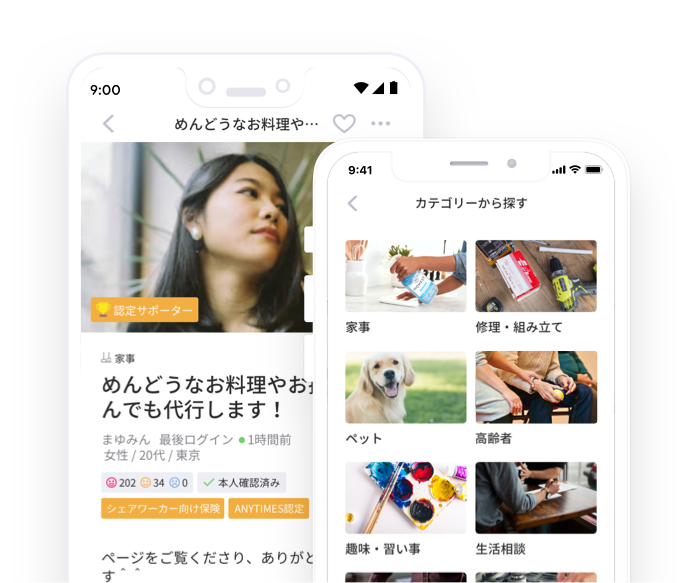
ANYTIMES is an App that connects you to people who provide convenient and reliable help in Japan.
ANYTIMES is an App that connects you to people who provide convenient and reliable help in Japan.


Solve your problems or improve your lifestyle by getting help from your neighbours

Make a purchase and get the service


When you find a service you like, first do a "consultation" for free. After negotiation and when you are satisfied with the content, date and time, and price, the supporter will then "Accept" the task.
Once prepayment is made, the contract is established. The prepayment will be paid to the supporters after the work is completed.
Provide service as agreed upon.
After providing the service, review each other and the transaction will then be completed. The supporters will receive the payment only after the review is done.


If you have any requests that needs solving, you can submit a "request" ticket.
You will receive an application for your request. Please select amongst the application that fits the best (date, time, fee) and proceed to prepayment.


Once prepayment is made, the contract is established. The prepayment will be paid to the supporters after the work is completed.
Provide service as agreed upon.
After providing the service, review each other and the transaction will then be completed. The supporters will receive the payment only after the review is done.

Make the most out of your skills by providing lifestyle support services to your neighbors.

By publishing a service, you can sell your skills.
When a request comes, you can respond in a private message. If you are satisfied with the proposal, date, time, and price, then press the "Accept" button. You can also decline by pressing the "Decline" button.
This contract is made when the requester completes the prepayment. The prepayment will be paid to the supporters after the work is completed.
Provide service as agreed upon.
After providing the service, review each other and the transaction will then be completed. The supporters will receive the payment only after the review is done.
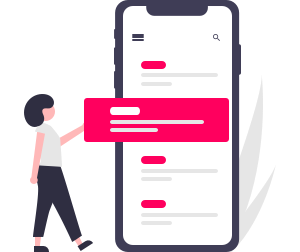
Anyone who can fulfill the request can apply for the request.
After submitting your application, you can send a private message and can negotiate. Then you will wait for the requester to select a preferred supporter amongst the applications.
This contract is made when the requester completes the prepayment. The prepayment will be paid to the supporters after the work is completed.
Provide service as agreed upon.
After providing the service, review each other and the transaction will then be completed. The supporters will receive the payment only after the review is done.

The our support office constantly monitors the messages and contents of transactions between users to ensure safety. If there is a problem between users or if there is an inappropriate ticket, ANYTIMES support will take appropriate action immediately, so users can rest assured. In addition, there is also a report function, so if there is any suspicious content, please report it to us.

When a task is complete, both the requester and the supporter are required to review each other. It would be easy for future potential requesters to assess the reliability or character of the supporter with our 3 tier rating system and public review. In addition, we have added a private review feature to ensure safety and security of the user. The private reviews will only be sent to ANYTIMES support for reference.

Users can voluntarily apply for ID verification by submitting their driver's license, health insurance card, passport, etc., and verify their phone number via SNS. Once verified, an ID verified mark will appear on their profile. This system is placed to help users identify reliable supporters at a glance.
In order to further ensure safety on ANYTIMES, we would like to introduce the ANYTIMES certification system.

5−49 Good Reviews

50−99 Good Reviews

100 Good Reviews

Certified supporters with IKEA furniture assembly training